OneCal vs Chronock (2026): Calendar Sync Compared
A fair comparison of OneCal and Chronock calendar sync: OneCal's free trial and paid plans, Chronock's free plan, supported calendars, sync direction, privacy controls, booking links, and team workflows.
When your schedule is spread across multiple calendars, small gaps turn into double bookings. You may want a personal event to block your work calendar, but you may not want to expose the title, guests, or meeting details.
Two tools that come up in that conversation are OneCal, a calendar sync product with broad provider support, and Chronock, an integrated calendar with scheduling and calendar sync built in.
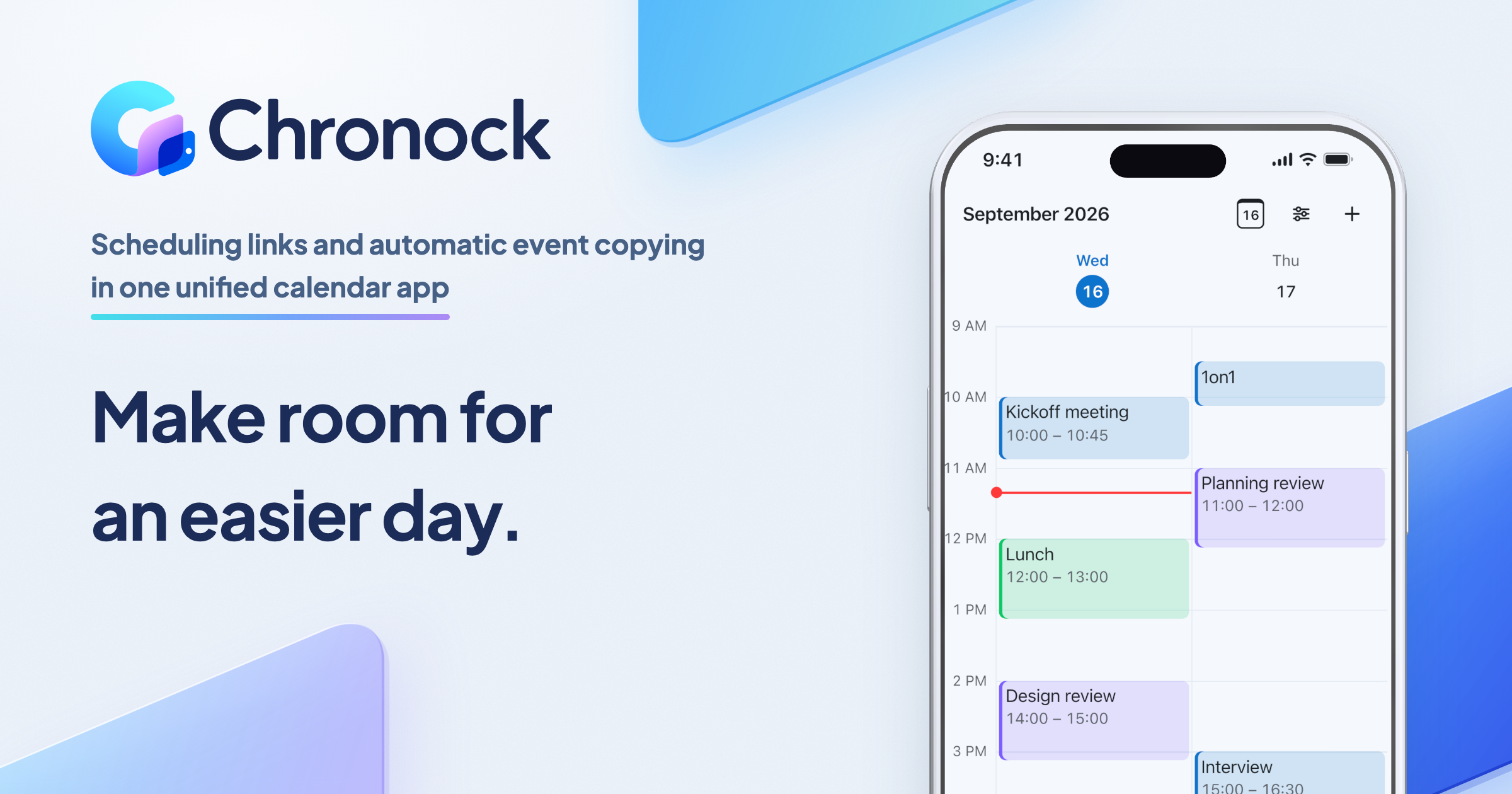
OneCal supports synchronization across Google Calendar, Microsoft Outlook, and iCloud Calendar, and also offers booking links and a unified calendar view. Chronock is built around Google Calendar first and also supports Microsoft Outlook calendars (Microsoft 365): an integrated calendar that shows Google and Outlook events in one view, booking pages, availability across multiple calendars, candidate-time text, and calendar-to-calendar event sync.
This article compares both products based on OneCal’s official site and documentation as of July 2026, plus Chronock’s published features as of September 2026, with Mac app availability checked in October 2026. Features and pricing can change, so check each service’s current pages before making a final decision.
Short answer
Choose OneCal if iCloud Calendar needs to be part of your sync setup. It is especially compelling when you need multi-way sync across many calendars, or when you want a unified calendar app that includes iCloud, or a native mobile app today.
Choose Chronock if your workflow is centered on Google Calendar or Outlook (Microsoft 365) and you want scheduling plus calendar sync at a low entry cost. Chronock Free includes multi-calendar availability detection and one one-way, busy-only sync rule, while Pro adds multiple rules, two-way sync, title and description visibility, provisional holds, multi-person scheduling, and CRM.
| Choose | Best fit |
|---|---|
| OneCal | You need iCloud Calendar in your sync setup or in your unified calendar view, mobile apps today, and more granular sync configuration. |
| Chronock | You mainly use Google Calendar or Outlook (Microsoft 365) and want booking pages, candidate times, event sync, and booking follow-up in one lightweight tool. |
Comparison table
| Area | OneCal | Chronock |
|---|---|---|
| Supported calendars | Google Calendar, Microsoft Outlook, iCloud Calendar | Google / Outlook (Microsoft 365). iCloud Calendar is not supported Free: up to 2 connected calendars across Google and Outlook; Pro: unlimited. |
| Calendar sync | One-way and multi-way sync. Multiple calendars can be included in one sync configuration | One-way and two-way sync rules across Google and Outlook calendars, including cross-provider Google-to-Outlook sync. One one-way, busy-only rule is included on Free |
| Privacy and sync detail | Configure event titles, descriptions, participants, location, conference data, private status, colors, RSVP and color exclusions | Configure practical visibility levels such as busy-only, title-only, or title and description |
| Sync speed | Official docs describe real-time sync. iCloud updates may take up to 10 minutes to reflect | Google Calendar changes are reflected in availability detection in real time. Pro sync is designed to stay up to date |
| Booking links | Unlimited one-on-one and collective scheduling links on all plans | One booking slot on Free, unlimited booking slots on Pro |
| Candidate-time text | Official materials focus on scheduling links and calendar view | Candidate dates tool turns availability into text for email or chat |
| Unified calendar view | Calendar View can display and edit Google, Outlook, and iCloud events in one interface | Integrated calendar shows connected Google and Outlook (Microsoft 365) calendars in day, week, and month views, with event creation and editing on both providers |
| Apps | iOS and Android apps are available | Web app and Mac app (Apple Silicon, macOS 14+). Native iOS and Android apps are in preparation |
| Team and admin | Public pricing lists team features, SSO, SCIM, admin-managed accounts, and SOC 2 Type II | Pro supports up to 50 members, team management, permissions, and multi-person scheduling |
| Cost to start | 14-day free trial, then paid plans. Annual billing lists Starter at $5/user/month ($60/year), Essential at $10/user/month ($120/year), and Premium at $25/user/month ($300/year) | Free plan available, including one one-way busy-only sync rule. Pro is $9/user/month or $80/user/year ($6.67 effective monthly) |
Where OneCal is strong
OneCal’s biggest advantage is the breadth of calendar sync.
OneCal’s Calendar Sync page says it supports Google Calendar, Microsoft Outlook, and iCloud Calendar, including sync across different providers. Chronock now supports Google and Outlook (Microsoft 365) but not iCloud Calendar, so OneCal has a clear advantage when iCloud is part of the workflow.
The OneCal documentation on Understanding Calendar Sync describes one-way sync, multi-way sync, and examples where personal calendar events block work calendars as private “Busy” events. It also lists settings for titles, descriptions, participants, locations, conference data, clone colors, RSVP filters, and color-based exclusions.
That flexibility is useful when:
- Personal events are in iCloud, work events are in Outlook, and project events are in Google Calendar.
- You need to block time across organizations or tenants.
- Each destination calendar needs a different level of detail.
- RSVP status or calendar color should decide whether an event syncs.
- You want a unified calendar view or mobile app for multiple providers.
OneCal’s Pricing page says all plans include real-time sync, unlimited sync configurations, one-on-one and collective scheduling links, unified calendar interface, and mobile apps. Calendar limits vary by plan: Starter lists 2 calendars, Essential lists 5 calendars, and Premium lists 50 calendars.
What to watch with OneCal
OneCal is powerful, but ongoing use is paid. Its pricing FAQ says new users get a 14-day free trial and must upgrade to a paid plan after that to continue using OneCal.
It is also built as a broad calendar sync product. If all your calendars are already in Google Calendar and you only need one booking page plus simple availability checks, OneCal may be more product than you need.
Before adopting OneCal, check:
- Whether your connected-calendar count fits Starter, Essential, or Premium.
- How cloned event titles, colors, and private visibility should be configured.
- Whether iCloud update timing is acceptable for your use case.
- Whether you want booking links and unified calendar view to live in OneCal too.
- Whether your team requires SSO, SCIM, admin controls, or specific support terms.
These are not defects. They are the tradeoffs of a dedicated cross-provider calendar sync tool. The more provider variety you have, the more OneCal’s feature set tends to matter.
Pricing comparison
OneCal pricing is USD-based. As of July 2026, the official Pricing page lists annual billing at Starter $5/user/month ($60/year, 2 calendars), Essential $10/user/month ($120/year, 5 calendars), and Premium $25/user/month ($300/year, 50 calendars). OneCal offers a 14-day free trial, but its FAQ says ongoing use requires upgrading to a paid plan.
Chronock’s pricing page lists Free at $0 and Pro at $9/user/month or $80/user/year ($6.67 effective monthly). Pro includes a 7-day free trial.
That puts Chronock Pro annual above OneCal Starter but below OneCal Essential and Premium on monthly equivalent. If you only need to sync two calendars across providers, OneCal Starter is inexpensive and compelling. If a single one-way, busy-only rule between calendars covers your case, Chronock’s Free plan handles it at $0. And if your workflow lives in Google Calendar or Outlook (Microsoft 365) and you want booking pages, unlimited booking slots, multiple sync rules, provisional holds, and CRM together, Chronock’s annual Pro price is the lower-cost path compared with OneCal Essential or Premium.
Where Chronock is strong
Chronock’s advantage is that it keeps calendar scheduling and sync lightweight, with Google Calendar as its most mature integration, and puts the calendars themselves on the same screen as the booking pages and sync rules.
The Free plan includes one user, one booking slot, booking-page creation, up to 2 connected calendars across Google and Outlook, automatic availability detection — and one one-way, busy-only calendar sync rule. That last point is a real difference from OneCal: the most common sync setup, blocking your work calendar with personal busy time, works before you pay anything. Pro supports unlimited calendar connections.
Pro adds multiple sync rules, two-way sync, title and description visibility, provisional holds, multi-person scheduling, CRM, contact management, and team management. Current public pricing is $9/user/month or $80/user/year.
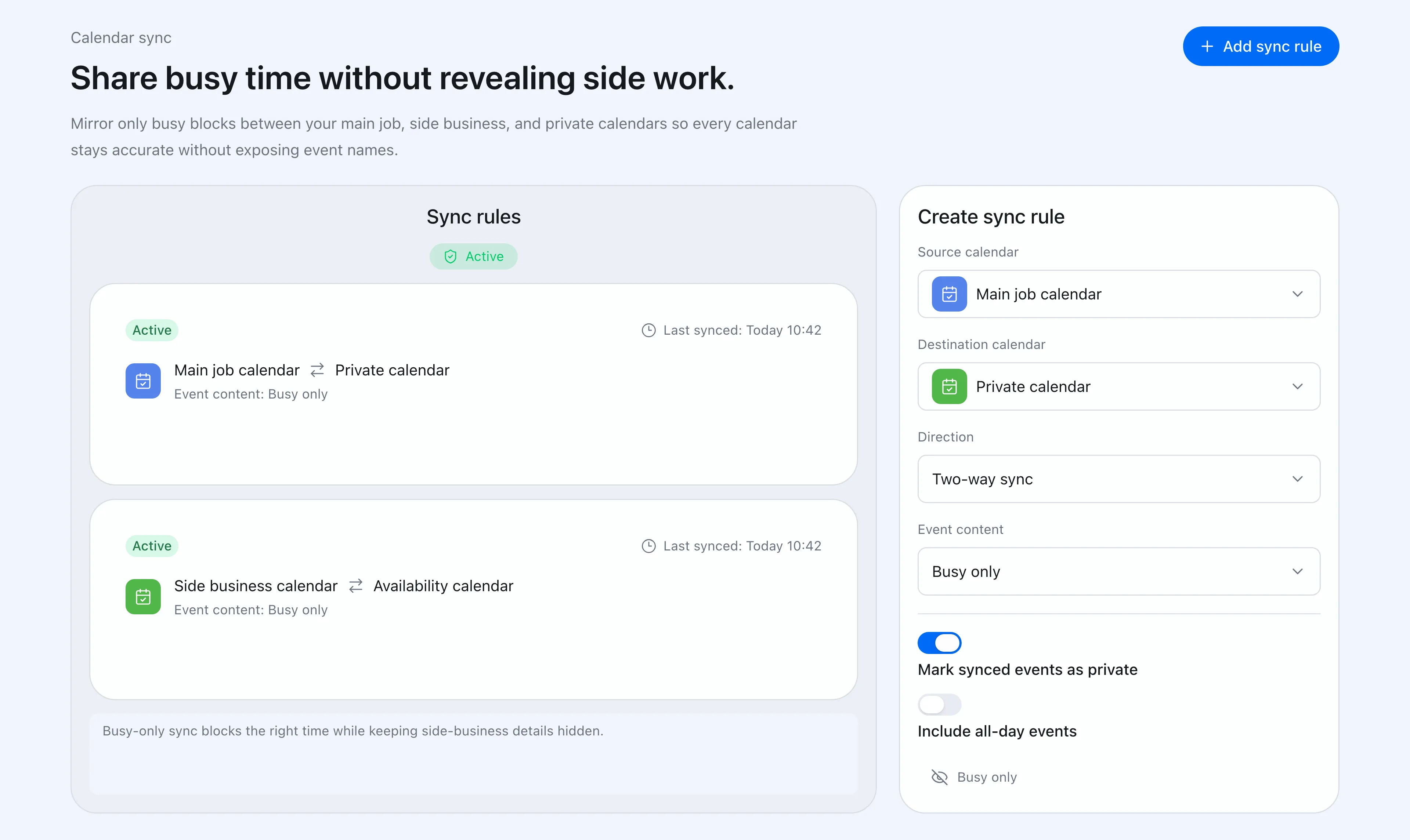 Chronock lets you configure source calendar, destination calendar, sync direction, and how much event detail appears on the destination calendar.
Chronock is useful when:
Your calendars are in Google Calendar or Outlook
If work, personal, side-business, and project schedules all live in Google Calendar, iCloud support may not matter. Chronock’s narrower Google-plus-Outlook focus can make the product easier to evaluate and cheaper to start. A mixed setup — work in Outlook (Microsoft 365), personal in Google Calendar — is also covered by Chronock’s availability detection and cross-provider Google-to-Outlook sync.
You sometimes need candidate times, not only booking links
Scheduling links are efficient, but some conversations work better when you paste a few candidate times into an email or chat.
Chronock’s candidate dates tool finds open times from connected calendars and turns them into copy-friendly text. Provisional holds on Pro can protect proposed times while you wait for a reply.
You want sync and post-booking context together
Sales, recruiting, customer success, and freelance meetings often need context after the booking: who booked, what history exists, and what notes were captured.
Chronock includes booking history, contacts, and notes as CRM-style context. That makes it a better fit when calendar sync is part of a broader scheduling workflow, not the only job.
What to watch with Chronock
Chronock supports Google Calendar and Microsoft Outlook calendars (Microsoft 365), but not iCloud Calendar. Chronock’s public FAQ confirms this scope: Google and Outlook with Microsoft 365 work or school accounts. If iCloud Calendar sync is required, OneCal is the more realistic choice.
Chronock’s Outlook integration works with Microsoft 365 work or school accounts. Personal Microsoft accounts (such as Outlook.com) are not supported due to Microsoft API limitations.
OneCal also exposes more granular sync controls around participants, locations, conference data, RSVP state, and event colors. Chronock focuses on the visibility levels that come up most often in scheduling workflows, such as busy-only, title-only, and title plus description.
Before choosing Chronock, check:
- Whether Google Calendar plus Outlook (Microsoft 365) covers your calendars.
- Whether iCloud Calendar or a personal Microsoft account calendar needs to sync.
- Whether the web app and Mac app (Apple Silicon, macOS 14+) are enough for now. Chronock’s native mobile apps are in preparation, but not yet available.
- Whether OneCal-style advanced sync exclusions are mandatory.
- Whether you want booking pages, candidate times, and CRM in the same product.
Which should you choose?
The easiest way to decide is to separate two questions: which calendar providers need to sync, and whether scheduling should live in the same tool.
| Situation | Easier choice |
|---|---|
| You need iCloud Calendar included in sync | OneCal |
| You use providers beyond Google and Outlook every day | OneCal |
| You need granular controls for participants, location, conference links, colors, and RSVP | OneCal |
| You want a unified calendar mobile app today, or iCloud in that view | OneCal |
| You need public SOC 2, SSO, or SCIM information | OneCal |
| Your calendar workflow is Google Calendar and Outlook (Microsoft 365) | Chronock |
| You want to try booking pages and multi-calendar availability for free | Chronock |
| You want to start calendar sync for free (one one-way, busy-only rule) | Chronock |
| You need candidate times to paste into email or chat | Chronock |
| You want calendar sync plus booking history and contacts | Chronock |
| You want Google and Outlook calendars in one view, with editing, next to your sync rules and booking pages | Chronock |
| You want a Free plan and a lower annual price than OneCal Essential | Chronock |
Bottom line
OneCal is stronger for calendar sync that must include iCloud. If iCloud Calendar matters, or if you need highly configurable sync rules or a native mobile app today, OneCal is the better fit.
Chronock is stronger for scheduling centered on Google Calendar and Outlook (Microsoft 365). If you want booking pages, candidate times, calendar-to-calendar sync — including cross-provider Google-to-Outlook sync — and post-booking management, with an integrated calendar view of your Google and Outlook calendars in the same tool, Chronock is the simpler starting point.
Do not choose by feature count alone. Choose OneCal when iCloud coverage is the core problem. Choose Chronock when your calendars are mainly Google Calendars or Outlook (Microsoft 365) and you want scheduling and sync in one affordable workflow.