For working parents, including single parents

Family and work events, in one calendar.

Two adults checking a smartphone together at a dining table while a child draws beside them

Daycare pickup, a pediatrician visit, a school event. When family events live on a shared family calendar and meetings live on your work calendar, coworkers book meetings over family commitments they can’t see. Chronock shows family, work, and personal calendars on one screen and copies family events to your work calendar as “Busy”. Your children’s names and appointment details stay off your work calendar.

View pricing
  • Family, work, and personal in one week view
  • Your work calendar shows only “Busy”
  • A calendar shared with you can be the source

Keeping family and work calendars in step by hand?

Family events belong on the calendar you share with your partner, co-parent, or family, and meetings belong on the work calendar. Keeping them apart makes sense, but coworkers can’t see family time, so the coordination lands on you.

Checking the family calendar and the work calendar in separate apps

Coworkers booking meetings over school pickup or a medical appointment

Adding “busy” blocks to your work calendar by hand and fixing them when family plans change

Not wanting your children’s names or medical appointments on your work calendar

Checking family plans every time you take a meeting with someone outside your company

Integrated calendar

Family, work, and personal events in one week view

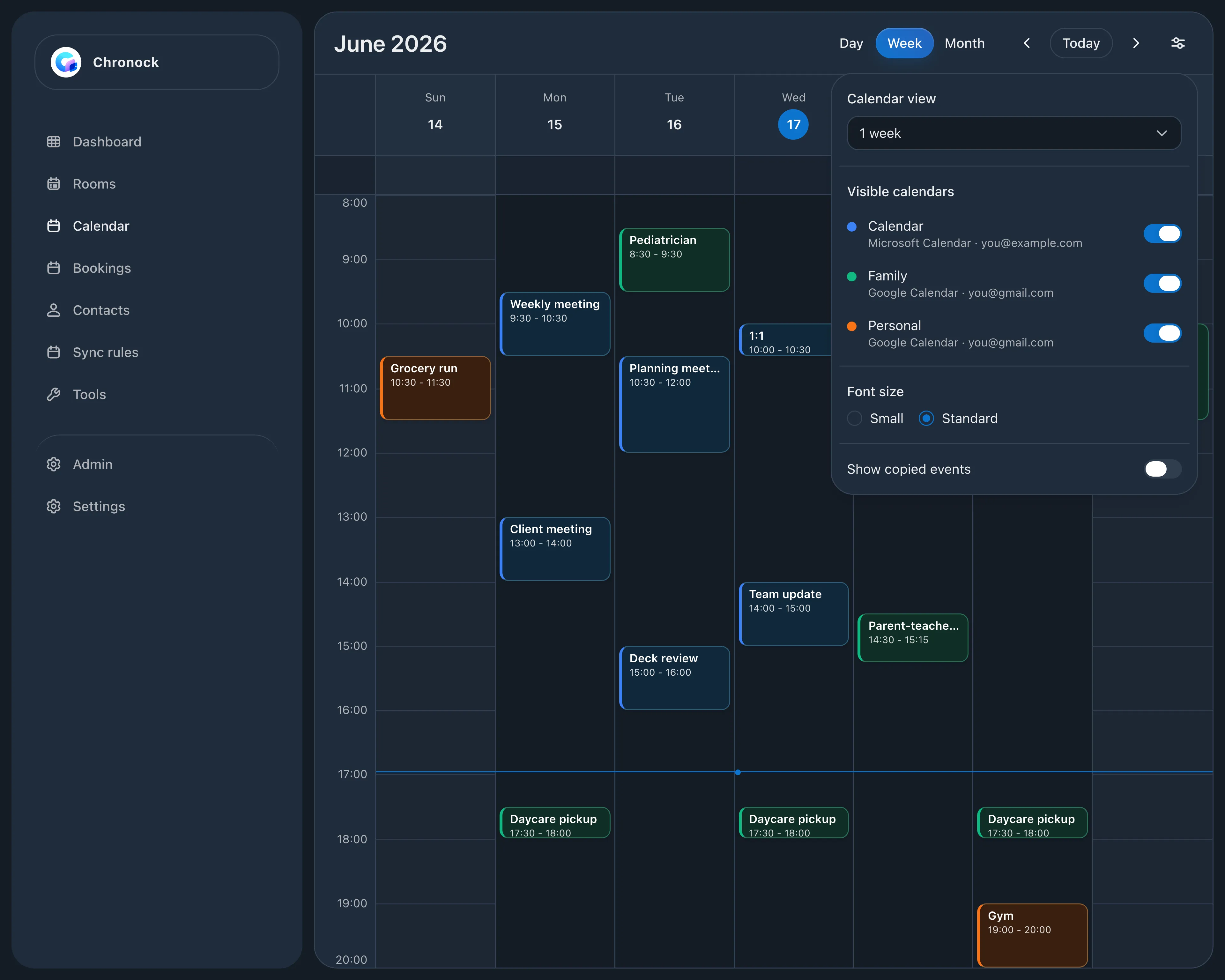
Connect your work Outlook or Google Calendar, the Google Calendar you share with your partner or family, and your personal calendar to see the week on one screen. You can create and edit events here too. When you create one, you pick where it’s saved: a school event goes on the family calendar, a meeting on the work calendar. Saving to a calendar someone shared with you needs edit access to it.

  • Daycare pickups, appointments, and meetings side by side in one week
  • Show or hide each calendar from display settings
  • Pick whether a new event goes to the family, work, or personal calendar
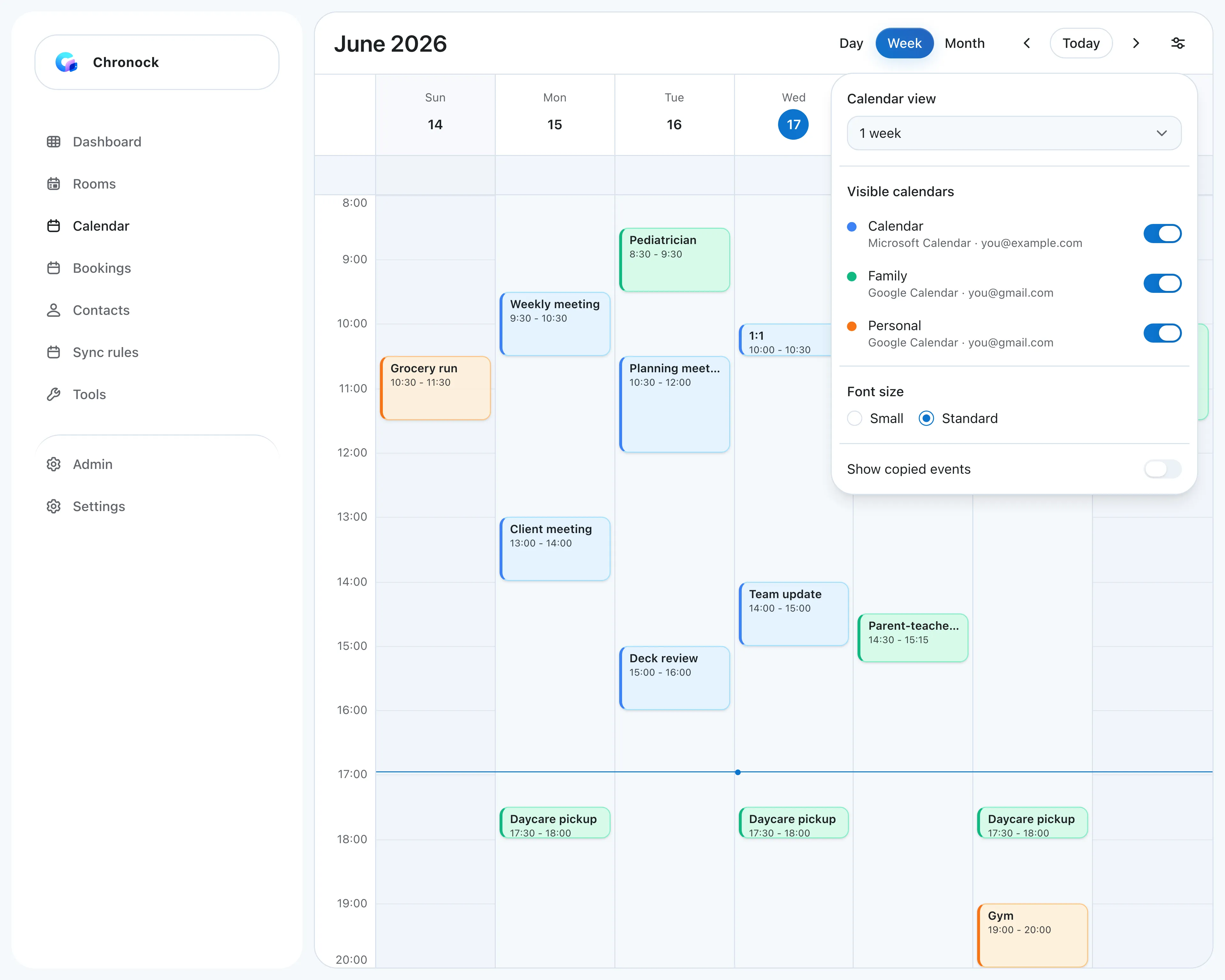
Integrated calendar week view combining a work Outlook calendar, a shared Family Google Calendar with daycare pickups and a pediatrician visit, and a personal calendar, with display settings listing each calendar and its account
Calendar sync

Copy family events to your work calendar as “Busy”

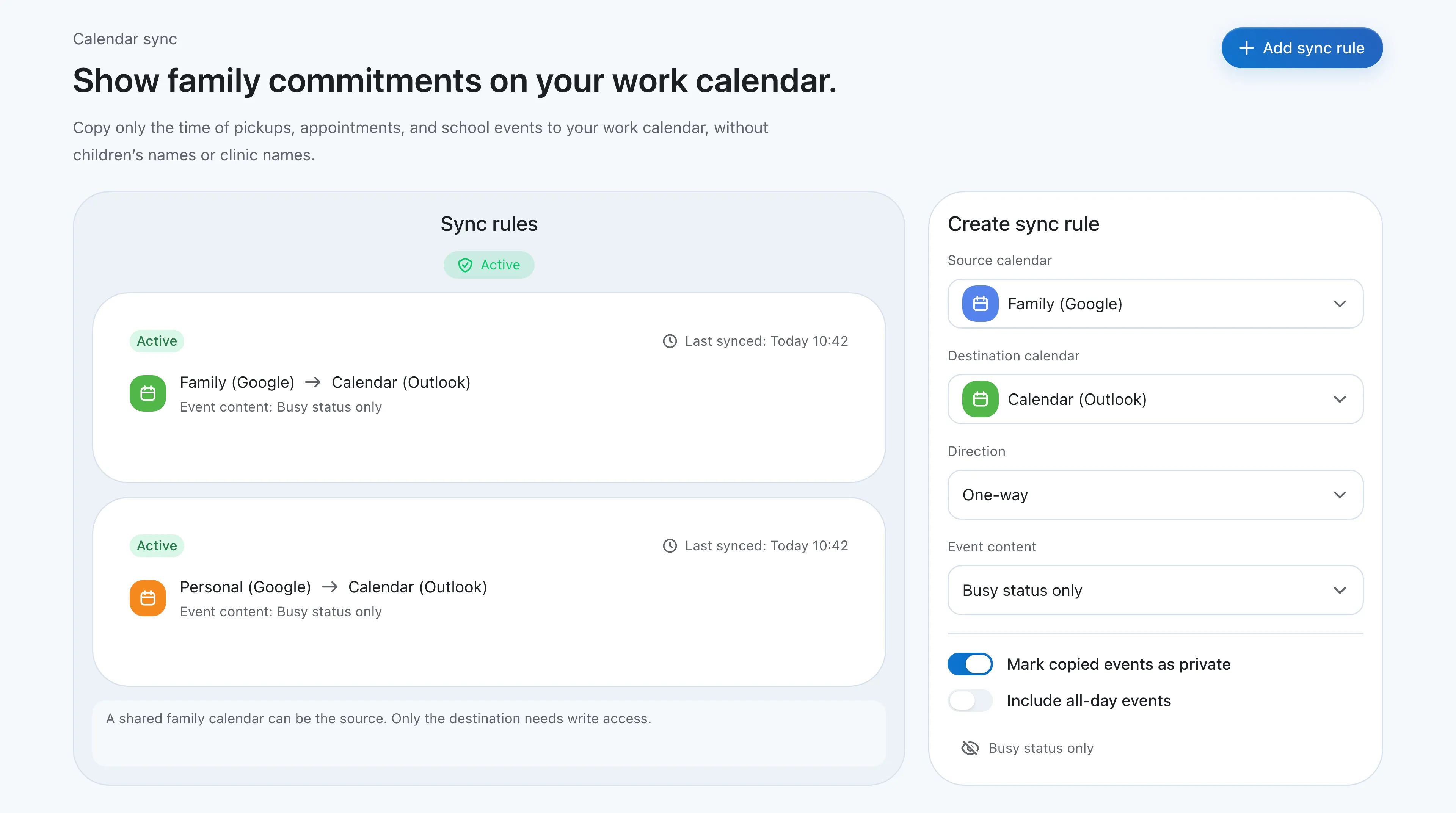
Chronock copies events from your family calendar to your work calendar as events titled “Busy”, with titles and details left out. When coworkers check your availability, those times show as taken. If a family event moves or is canceled, the copy updates too.

  • A family calendar shared with you can be the source if you can see event details, even without edit access
  • Your work calendar shows only “Busy”, never titles or details
  • Free includes one one-way, Busy-only rule from family to work
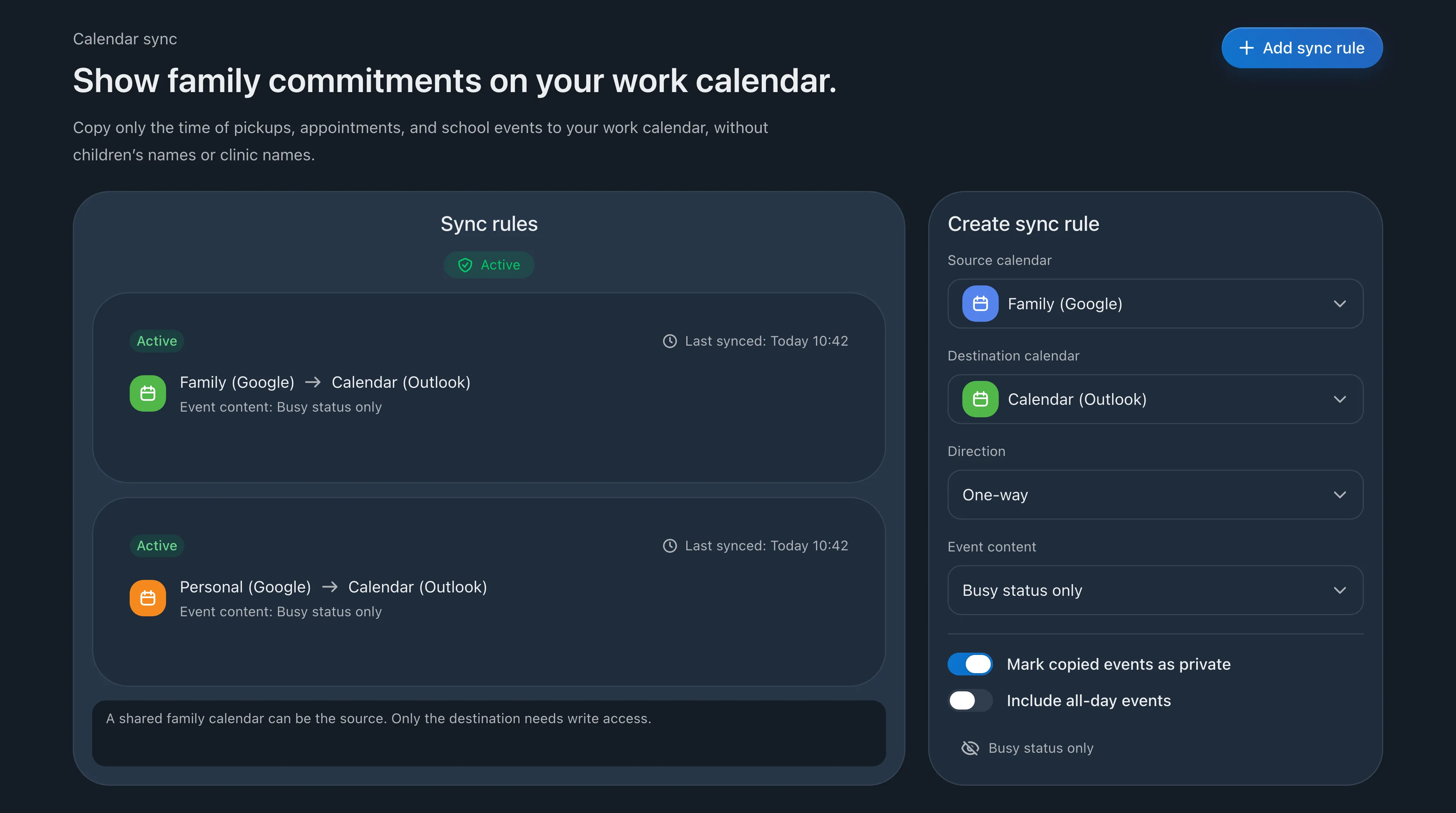
Sync rules screen with one-way, Busy-only rules from Family (Google) and Personal (Google) to Calendar (Outlook)
Booking link

Take outside meetings only when family time is clear

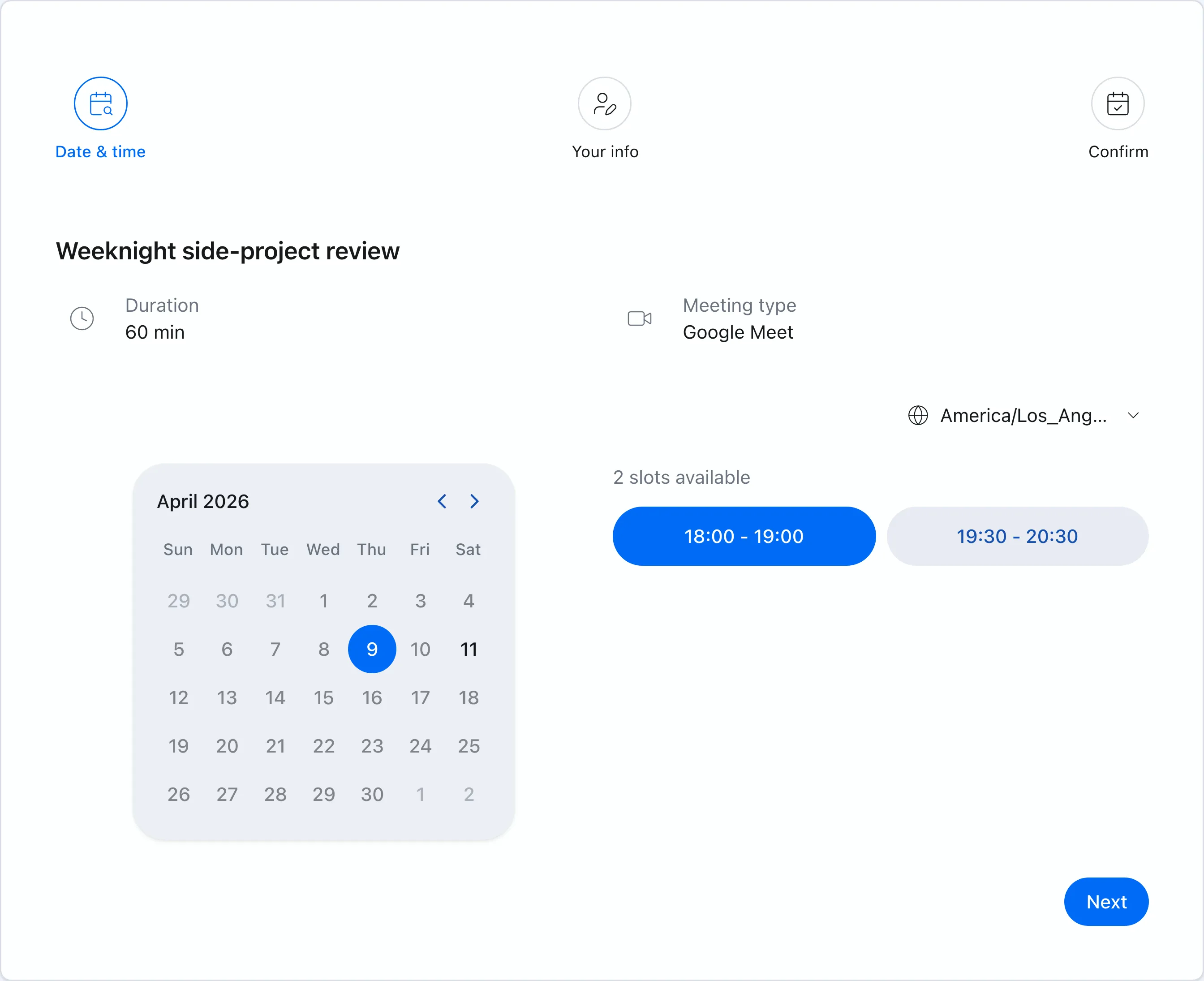
If you meet clients or partners from outside your company, a booking link can check your family calendar along with your work and personal calendars. You can also limit bookings to certain days and hours, such as weekdays from 9 to 4, so meetings end before pickup.

  • Availability checked across family, work, and personal calendars
  • Set days and hours so bookings never fall in family time
  • Guests see open times only, never your family events
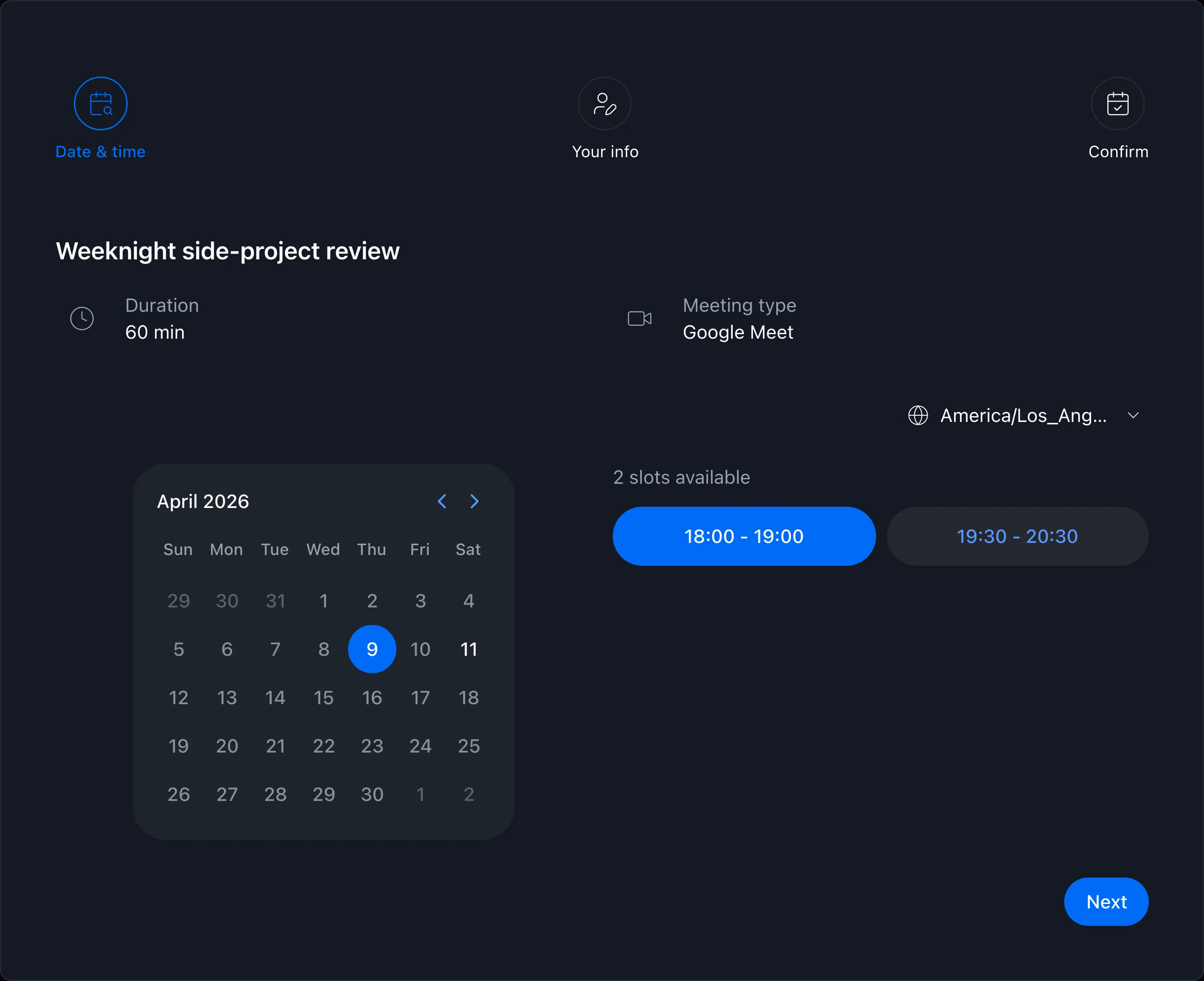
Booking page showing available times

FAQ

Can I use a family calendar from iCloud or TimeTree?
No. Chronock connects Google Calendar and Microsoft 365 work or school Outlook accounts. iCloud and TimeTree calendars are not supported. For family events you want blocked on your work calendar, keep them in a Google Calendar you share with your family, and use that calendar as the source.
Will my company see my children’s names?
No. With a Busy-only rule, your work calendar gets events titled “Busy” and nothing else: no titles or descriptions. Coworkers see only that the time is taken.
Is it free?
Yes, for this setup. Free includes up to 2 calendar connections and one one-way, Busy-only sync rule. Connect the personal Google account your family calendar is shared with and your work account, and the family-to-work copy works on Free. More connections, more rules, and two-way copying need Pro ($9 per month, with a 7-day free trial).

Related articles

Chronock logo and the integrated calendar on a phone

Chronock

Your calendars and scheduling, all in one place.

Manage Google Calendar and Outlook, share booking pages, and stop double booking with automatic event copying. Start free.

Free

For one person starting with scheduling links and automatic event copying

$0/month

  • 1 active booking slot
  • Shareable booking page
  • Up to 2 connected calendars
  • Zoom and Slack integrations
  • 1 one-way calendar sync rule (Busy only)
Get started free

Pro

For teams scheduling together, or anyone who needs multiple or two-way sync rules

Most popular

$6.67+/ user / month

Effective monthly price with annual billing

  • Unlimited booking slots
  • Unlimited one-way and bidirectional sync with event details
  • Group scheduling
  • CRM (bookings & contacts)
Start 7-day Pro trial