Reclaim.ai vs OneCal: calendar sync features compared
Reclaim.ai vs OneCal for calendar sync: providers, iCloud, multi-way sync, privacy controls, scheduling links, free plan, and pricing as of October 2026.
Reclaim.ai and OneCal both copy events between your calendars so one calendar’s appointments block time on another. They are built for different jobs, though. This comparison covers calendar sync first, then scheduling links and pricing, based on each company’s own pages as of October 2026.
Short answer
Choosing between Reclaim.ai and OneCal depends on whether your main priority is an automated daily schedule planner or a dedicated, multi-calendar synchronization tool. Reclaim.ai combines calendar synchronization with an AI planning engine. In Reclaim 2.0, the engine automatically schedules and adjusts recurring habits and focus time, and recommends tasks to work on during those focus time blocks (in contrast to Reclaim 1.0, which automatically scheduled standalone task events directly on the calendar). Its calendar sync feature exists primarily to protect your availability across Google Calendar and Microsoft Outlook accounts so that internal habits and external meetings do not overlap.
OneCal, by contrast, is a dedicated calendar synchronization and booking link platform designed to bridge Google Calendar, Microsoft Outlook, Apple iCloud, and CalDAV accounts. It specializes in multi-way synchronization that copies source events in both directions across calendars within a single rule, paired with granular field-by-field privacy controls that let you strip or customize meeting details. Cloned events are one-way projections: changes made directly to a cloned copy do not sync back to the original source event. While OneCal does not offer continuous automated habit or task scheduling like Reclaim, it includes an AI Assistant capable of creating, updating, or moving events and generating focus blocks via prompts.
| Choose Reclaim.ai if you need | Choose OneCal if you need |
|---|---|
| Automated time blocking for habits and focus time, with task recommendations in Focus Time (Reclaim 2.0) | Direct two-way or multi-way event copying across multiple calendars (copying source events in both directions) |
| Priority-based scheduling links that can book over flexible events | Native Apple iCloud and CalDAV calendar synchronization alongside Google and Outlook |
| Team and round-robin scheduling links | Granular, field-by-field privacy controls (custom titles, hide participants, strip conference links) |
| A free plan for basic one-way blocking across two calendars | Filters to sync only specific events by color, RSVP status, or busy state |
| Personal Outlook.com accounts (listed on Reclaim’s Outlook page) | iOS, Android, and macOS apps |
Side-by-side comparison table
Here is how Reclaim.ai and OneCal compare across core calendar synchronization capabilities, platform integrations, scheduling features, and pricing as of October 2026:
| Feature | Reclaim.ai | OneCal |
|---|---|---|
| Supported calendar providers | Google Calendar and Outlook (Microsoft 365, Outlook.com, Exchange-backed). iCloud only by sharing/importing into Google or Outlook | Google Calendar, Microsoft Outlook, Apple iCloud, and CalDAV |
| Connected calendars per plan | Lite: 2; Starter and above: unlimited (connected calendars check availability) | Starter: 2; Essential: 5; Premium: 50 |
| Syncs per plan | Lite: 1; Starter: 3 in plan overview, but listed as unlimited in detailed table; Business and Enterprise: unlimited | Unlimited sync configurations on all plans |
| Sync directionality | Individual sync policies are one-way (two-way mirroring requires two separate policies) | One-way and multi-way sync (copies source events across calendars in both directions in one rule; edits to copies do not sync back to source) |
| Field control and privacy | Lite: contextual Commitment labels (Personal/Work/Meeting/Travel/Flight/PTO); Starter+: Commitment labels, “Busy” for all, details for you only (except admins/editors), full details; #nosync tag |
Per-field toggles: title/custom title, description, participants (added to description), location, conferencing, color (Google/Outlook), private status, turn reminders off |
| Sync filters | All-day event filter (default off, or all / busy only), working hours restrictions, RSVP & Free/Busy handling, #nosync tag |
Filter by RSVP status, event color (Google/Outlook only; not on iCloud/CalDAV), include/exclude free events |
| Sync speed | Instant updates stated on feature page; help center notes shared/imported calendars may experience long delays (hours to days) | Real-time for Google and Outlook; detects iCloud updates approximately every 10 minutes (not a guaranteed 10-minute upper bound) |
| Free plan and trial | Free Lite plan (1 sync, 2 connected calendars) | No free plan; 14-day free trial (no credit card required) |
| Pricing (billed annually) | Lite free; Starter $10/seat/mo; Business $15; Enterprise $22 (monthly: Starter $12, Business $18) | Starter: $5/user/mo ($60/yr); Essential: $10/user/mo ($120/yr); Premium: $25/user/mo ($300/yr); monthly billing also available |
| Scheduling links | Priority-based links, individual, team, and round-robin scheduling (Lite: 1 link; Starter: 3; Business/Enterprise: unlimited) | Unlimited individual and collective booking links on all plans; checks all connected calendars by default (round robin not found in OneCal official docs) |
| Apps | Web app; no native mobile app | iOS, Android, and macOS apps listed on the pricing page; unified calendar view |
| AI planner | Yes (in Reclaim 2.0, auto-schedules habits and focus time, and recommends tasks within focus blocks; 1.0 auto-scheduled dedicated task events) | No continuous task/habit auto-scheduling; includes an AI Assistant for creating, updating, and moving events or focus blocks via prompts |
Calendar sync in detail
While both platforms prevent double bookings by mirroring your busy times across accounts, their underlying synchronization architectures differ significantly in directionality, privacy handling, and provider compatibility.
Reclaim.ai: one-way policies and visibility presets
Reclaim.ai handles calendar synchronization through individual sync policies. Each policy operates strictly in one direction, copying events from a source calendar to a destination calendar. If you have a personal calendar and a work calendar and want events from both schedules reflected on each other, you must configure two separate one-way sync policies.
When configuring policies in Reclaim, the available privacy options depend directly on your subscription tier:
- Lite plan: Users are restricted to basic presets that label synced blocks with generic commitment classifications (such as Personal Commitment, Work Commitment, Meeting, Travel, Flight, or PTO, depending on the source event).
- Starter plan and above: Users unlock granular visibility options. These include commitment category labels, marking events simply as “Busy” for all viewers, showing full details for you only while appearing busy to others, or displaying full event details to anyone with access to the target calendar. Note that for the “details for you only” option, users with edit permissions on the destination calendar or workspace IT administrators may still be able to view full event details.
Reclaim also provides several filtering controls across all-day events, working hours, and event status:
- All-day events: By default, Reclaim does not sync all-day events, but users can configure a policy to sync all full-day entries or only full-day entries marked as Busy.
- Hours and event states: Policies can restrict syncing to defined working hours, decline synchronization for unaccepted invites based on RSVP status, and respect “Free” status (events marked as Free do not block time on destination calendars).
#nosynctag: Adding#nosyncprevents an individual event from syncing. Reclaim’s documentation contains an inconsistency regarding tag placement: while general sync policy articles state it can be placed in either the title or description, Reclaim’s dedicated#nosyncguide instructs users to place#nosyncin the event description (or in the event title specifically for Out of Office events).
For calendar integrations, Reclaim natively supports accounts connected through Google Calendar and Microsoft Outlook (including Microsoft 365, Outlook.com, and Exchange-backed accounts). It does not provide direct account integration for Apple iCloud; users who wish to include iCloud calendars must first share or import their iCloud calendar into a Google Calendar or Microsoft Outlook account and connect that account to Reclaim.
In terms of synchronization latency, Reclaim’s feature page states that calendar updates are instant. However, its help center documentation notes that syncing shared or imported calendars (such as an iCloud calendar shared into Google or Outlook) can experience significant delays—ranging from several hours to days—which are outside Reclaim’s control.
OneCal: multi-way synchronization and field-level controls
OneCal documents its sync directions and field controls in its Calendar Sync guide. Rather than requiring users to construct multiple pairwise rules, OneCal supports one-way and multi-way synchronization across two or more calendars, allowing a single configuration to copy source events in both directions. However, this is event cloning rather than two-way record editing: changes made directly to a cloned copy on a destination calendar do not sync back to the original source event.
In addition, OneCal’s synchronization scope covers a defined forward time horizon: it syncs events up to 1 year in advance for Google Calendar and Apple iCloud, and up to 3 months in advance for Microsoft Outlook. Events beyond these windows may not sync consistently. Past-only events are not synced, although recurring series that extend into the future can also include past occurrences. See OneCal’s sync scope and FAQ.
OneCal’s main strength is granular field-level control. When creating a sync rule, you can customize or strip specific event attributes on the destination calendar:
- Title control: Sync the original event title or replace it with a custom generic title (such as “Busy” or “Client Meeting”).
- Description: Copy it or leave it out.
- Participants and attendees: Choose whether to include guest lists; when enabled, OneCal appends attendee information into the event description on the target calendar, rather than adding attendees as actual invitees on the cloned event.
- Conferencing and location: Include or leave out the meeting link and location.
- Reminders and colors: Turn off reminders on copies and assign a custom color (custom colors are supported on Google Calendar and Outlook using predefined category names, but are not supported on CalDAV).
- Privacy flag: Mark synced copies as private automatically.
Additionally, OneCal includes event filtering options. You can choose whether to sync events marked as “Free” (transparent availability), filter events by their RSVP status (for example, excluding declined events by default), and filter events based on specific color labels. Note that color-based event exclusion works with Google Calendar event colors and matching Outlook categories, but is not supported for Apple iCloud or CalDAV accounts.
For provider integrations, OneCal supports direct account connections for Google Calendar, Microsoft Outlook, Apple iCloud, and CalDAV-compatible services. While OneCal does not offer continuous background habit and task rescheduling like Reclaim, it includes an AI Assistant that allows users to create, update, or reschedule events and generate focus blocks using conversational prompts.
Sync execution runs in real time for Google Calendar and Microsoft Outlook connections. For calendars connected via Apple iCloud, OneCal detects changes approximately every 10 minutes (reflecting polling intervals rather than a guaranteed 10-minute upper bound).
Scheduling links
Both platforms supplement their calendar synchronization tools with booking links, but they approach meeting scheduling from different angles.
Reclaim.ai designs its scheduling links around its automated time-blocking engine. Its scheduling links have priorities from Critical (P1) to Low (P4). A higher-priority link can offer time held by lower-priority flexible events such as Habits and Smart Meetings, and Reclaim automatically reschedules those flexible events when someone books. Reclaim also offers individual, team, and round-robin scheduling links. Reclaim’s Lite plan includes 1 scheduling link, while Business and Enterprise include unlimited links; Starter includes 3 links in both the plan overview and detailed feature comparison table.
OneCal includes unlimited scheduling links on every plan (Starter, Essential, and Premium), with individual and collective modes described in its Booking Links guide. It supports both individual booking links and Collective scheduling links that find overlapping open times across multiple hosts. By default, OneCal checks availability across all calendars connected to your account, though the specific calendars checked can be customized. We did not find documentation or mention of round-robin scheduling in OneCal’s official documentation as of October 2026, making its booking tools focused on individual and collective multi-host scheduling.
Pricing
Reclaim.ai and OneCal use distinct pricing models. Reclaim offers a permanent free tier with strict sync limits and reserves advanced controls for higher tiers. OneCal has no permanent free tier, offering a 14-day free trial with no credit card required, followed by tiered plans based on the number of connected calendars.
Prices as of October 2026, from Reclaim’s pricing page and OneCal’s pricing page:
| Plan | Price (billed annually) | Connected calendars | Core sync features included |
|---|---|---|---|
| Reclaim.ai Lite | Free | 2 | 1 one-way sync; basic commitment labels; 1 scheduling link |
| Reclaim.ai Starter | $10/seat/month ($12 monthly) | Unlimited (availability) | 3 syncs in overview (unlimited in detailed table); visibility options; 3 scheduling links; AI planner (habits/focus time auto-scheduling, task recommendations) |
| Reclaim.ai Business | $15/seat/month ($18 monthly) | Unlimited (availability) | Unlimited syncs and scheduling links; advanced controls |
| OneCal Starter | $5/user/month ($60/year) | Up to 2 calendars | Unlimited sync configurations; one-way and multi-way sync; field privacy toggles; unlimited booking links |
| OneCal Essential | $10/user/month ($120/year) | Up to 5 calendars | Everything in Starter; up to 5 connected calendars |
| OneCal Premium | $25/user/month ($300/year) | Up to 50 calendars | Everything in Essential; up to 50 connected calendars |
OneCal offers both monthly and annual billing options on its pricing page; the rates listed above reflect annual billing. Reclaim Enterprise is $22/seat/month, available on annual billing only.
If you only need to sync two calendars in one direction with basic commitment labels, Reclaim’s Lite plan provides a permanent free option. However, if you need multi-way sync across two calendars, granular field privacy controls, or direct iCloud and CalDAV integration, OneCal’s Starter plan costs $5 per user/month billed annually.
For users managing up to five calendars, both platforms start at $10 per user/seat per month billed annually (Reclaim Starter and OneCal Essential). However, the setup differs: OneCal Essential allows you to keep all five calendars synchronized in multi-way configurations under a single rule within its 5-calendar cap. Reclaim Starter includes unlimited connected calendars for availability checking, but synchronization is configured through individual one-way policies (which would require up to 20 separate one-way policies to mirror five calendars in every direction), and Reclaim’s pricing page contains an unresolved contradiction on whether Starter allows 3 sync policies or unlimited sync policies.
Which should you choose
To decide between Reclaim.ai and OneCal, evaluate the number of calendars you manage, the providers hosting those calendars, and whether you need automated daily time blocking.
OneCal is well suited when your primary priority is multi-calendar synchronization across different providers and accounts. If you work with multiple client-issued Google, Outlook, iCloud, or CalDAV accounts, OneCal’s multi-way sync lets you copy source events across calendars in both directions using fewer rules than configuring a matrix of one-way policies. Furthermore, its field-level controls allow you to share availability across client environments without exposing meeting titles, attendee details (which can be stripped or placed in descriptions), or conferencing links. Note that changes to cloned copies do not sync back to original events, and sync lookaheads are capped at 1 year for Google/iCloud and 3 months for Outlook.
Reclaim.ai is well suited if your primary priority is organizing your workday and protecting focus time. If your scheduling challenges involve internal colleagues booking over lunch breaks or recurring focus routines, Reclaim’s AI planning engine automatically schedules and reschedules flexible habits and focus time around meetings, and recommends tasks to work on during focus blocks. For cross-account availability, Reclaim’s one-way policies mirror appointments between Google Calendar and Outlook accounts as busy blocks or commitment labels.
| Scenario | Recommended tool | Key reason |
|---|---|---|
| You need to keep 3 or more calendars synchronized in all directions | OneCal | Multi-way synchronization copies source events in both directions across multiple calendars under a single rule. |
| You use Apple iCloud or CalDAV for scheduling | OneCal | Direct iCloud and CalDAV integration avoids the workaround of sharing or importing calendar data into Google or Outlook. |
| You must strip client names and meeting links from corporate calendars | OneCal | Granular field-level toggles let you replace titles with custom text and exclude descriptions, attendees, and meeting links. |
| You need automated scheduling for daily habits and focus time | Reclaim.ai | In Reclaim 2.0, the AI planning engine automatically reschedules flexible habits and focus time around meetings, and recommends tasks in focus blocks. |
| You need round-robin meeting distribution for a sales or support team | Reclaim.ai | Reclaim supports round-robin scheduling links; round-robin was not found in OneCal’s official documentation. |
| You want a permanent free tool to block personal events on a work calendar | Reclaim.ai | Reclaim Lite offers a permanent free tier with 2 connected calendars and 1 one-way commitment sync policy. |
If you are exploring other platforms in this space, you can read our comprehensive overview of Reclaim.ai alternatives and our guide to OneCal alternatives.
A third option: Chronock
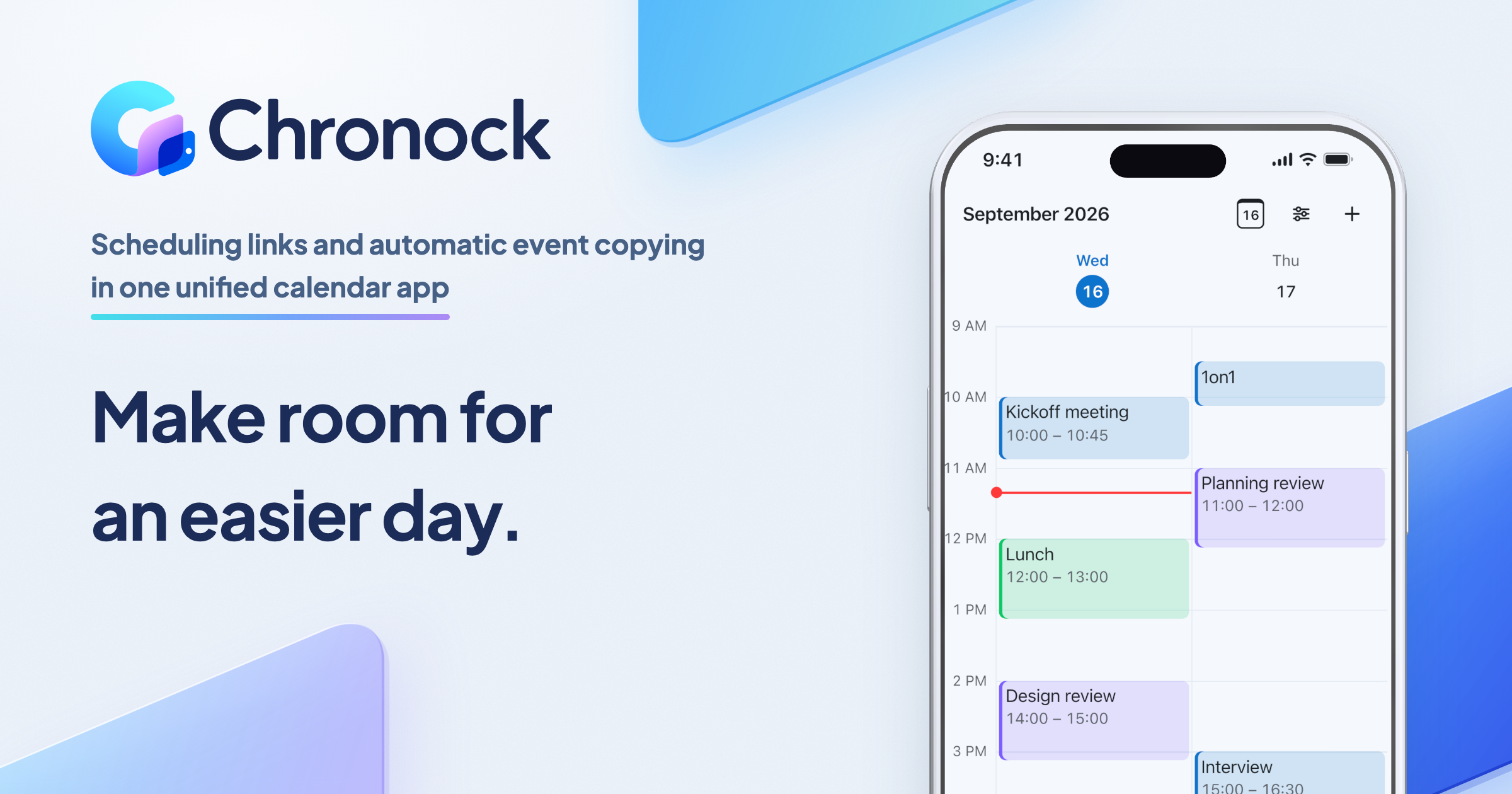
If all your calendars are on Google Calendar and Microsoft 365 Outlook, Chronock is a third option: a unified calendar app with scheduling links and automatic event copying.
What Chronock does not do:
- Provider support: Chronock supports Google Calendar and Microsoft 365 Outlook (work and school accounts only). It does not support Apple iCloud accounts and does not support personal Microsoft accounts (such as Outlook.com, Live, or Hotmail).
- No AI task planner: Chronock does not include an AI scheduling engine for auto-scheduling tasks, recurring personal habits, or focus time blocks. It also does not offer round-robin booking links or payment processing.
What it does:
- Sync rules: Chronock lets you configure one-way or two-way synchronization rules. You can choose from three distinct privacy copy levels: busy only, title only, or title and description. Synced copies are real calendar events that update or delete automatically whenever the source event changes. Synchronization rules cover events from today up to 12 months ahead.
- Candidate dates tool: In addition to shareable booking pages, Chronock includes a candidate dates tool that turns open times into text you can paste into an email.
- Apps: Chronock runs as a web app and as a Mac app for Apple Silicon Macs on macOS 14 or later.
Plans:
- Free plan: 1 user, up to 2 connected calendars, availability detection, 1 booking slot (booking page), timezone support, holiday blocking, Zoom and Slack integrations, and 1 one-way busy-only sync rule.
- Pro plan: $9 per user per month or $80 per user per year, with a 7-day free trial. Pro includes unlimited connected calendars, unlimited booking slots, booking slot groups, provisional holds, multi-person scheduling, contact management (CRM), session notes, team and permission management for up to 50 users, removal of Chronock branding, two-way synchronization rules, and title or title-and-description event copies across multiple rules.
For a direct breakdown of how Chronock’s synchronization engine compares to OneCal, read our detailed comparison of OneCal calendar sync vs Chronock.
Frequently asked questions
Is OneCal free?
No, OneCal does not offer a permanent free subscription. It provides a 14-day free trial that does not require a credit card. Once the trial ends, continuing to use the service requires a paid plan, which starts at $5 per user/month billed annually for up to 2 calendars (with monthly billing also available).
Does Reclaim support iCloud?
Reclaim does not offer direct account integration for Apple iCloud calendars. To synchronize iCloud events using Reclaim, you must manually share or import your iCloud calendar into a Google Calendar or Microsoft Outlook account and connect that account to Reclaim. OneCal supports direct, native iCloud integration (as well as CalDAV accounts).
Which has two-way sync?
OneCal allows you to configure multi-way synchronization within a single rule, copying source events in both directions between calendars. However, edits made to a cloned event copy do not sync back to the original source event. In Reclaim.ai, each individual sync policy is strictly one-way; to mirror events bidirectionally between two calendars in Reclaim, you must configure two separate one-way sync policies.
Does Reclaim support Outlook?
Yes. Reclaim’s Outlook integration page lists Microsoft 365, Outlook.com, and Exchange-backed accounts, alongside Google Calendar.
Which is cheaper for 5 calendars?
On base annual pricing, neither is cheaper: both Reclaim Starter and OneCal Essential start at $10 per user/seat per month billed annually ($120/year). However, the value depends on your sync requirements. OneCal Essential covers up to 5 connected calendars with multi-way synchronization under a single rule. With Reclaim, Starter includes unlimited connected calendars for availability checking, but synchronization relies on individual one-way policies (requiring up to 20 separate policies to mirror 5 calendars in all directions), and Reclaim’s pricing page contains an unresolved contradiction on whether Starter allows 3 sync policies or unlimited sync policies (the latter otherwise requiring the $15/seat/month Business tier).